Creating a Group
Step-by-step instructions for establishing a new group in KapuLetu.
BeginnerTreasurer
Groups are the foundational organizational unit in KapuLetu. Every campaign and fundraising activity must belong to a specific group.
1
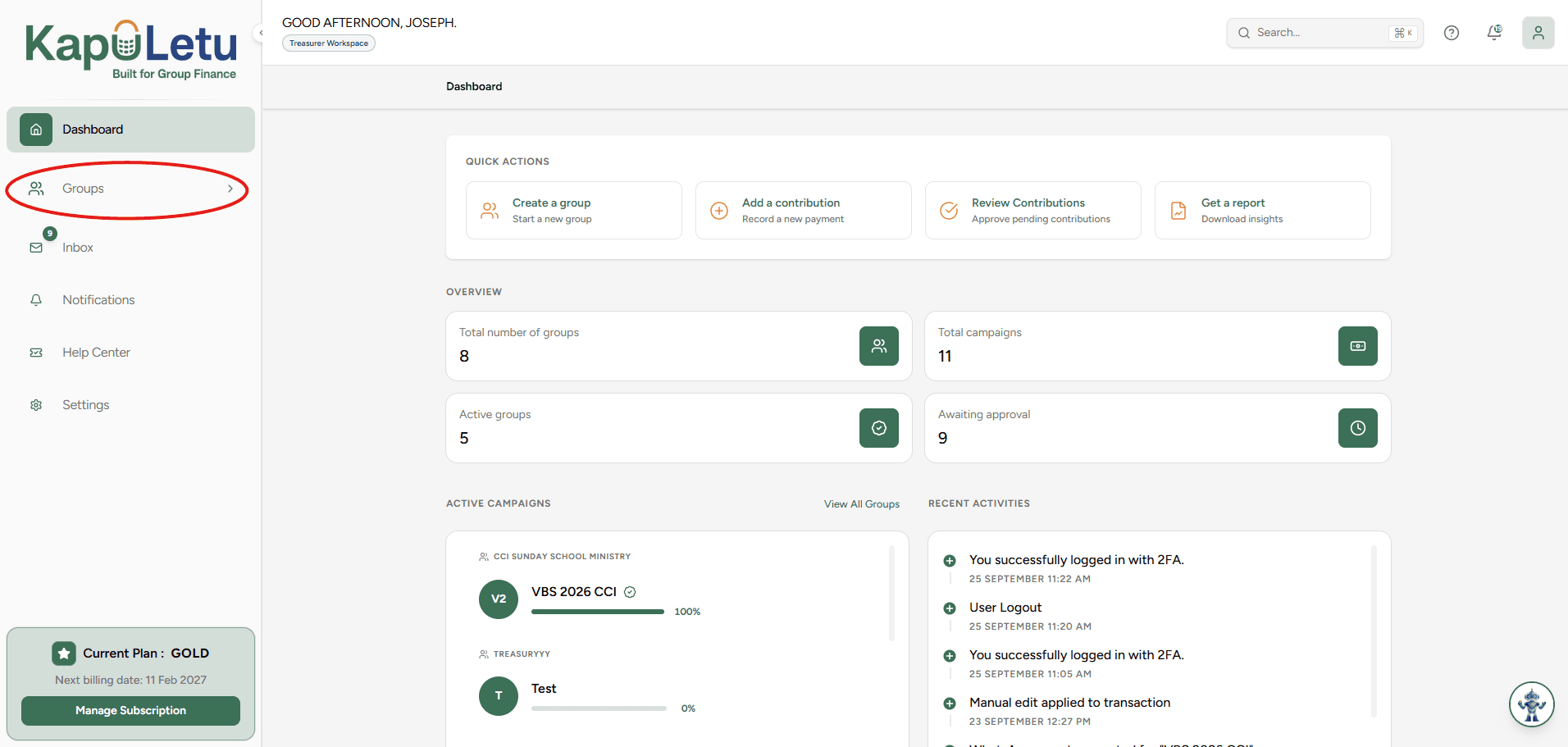
Open the Groups Tab
Navigate to the Groups section on the left-hand sidebar of your dashboard.
2
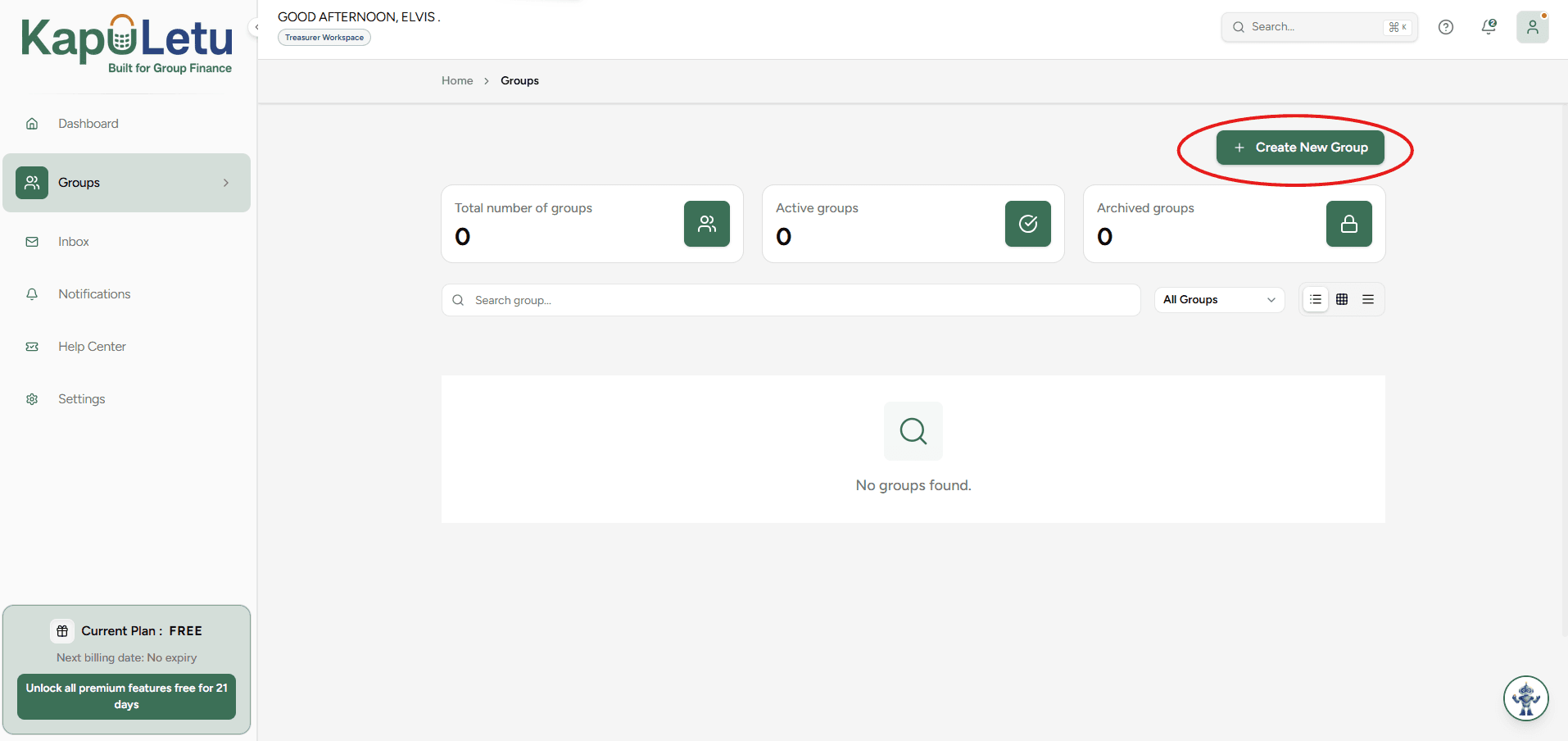
Click 'Create Group'
Locate and click the primary button labeled 'Create Group' in the top right corner.
3
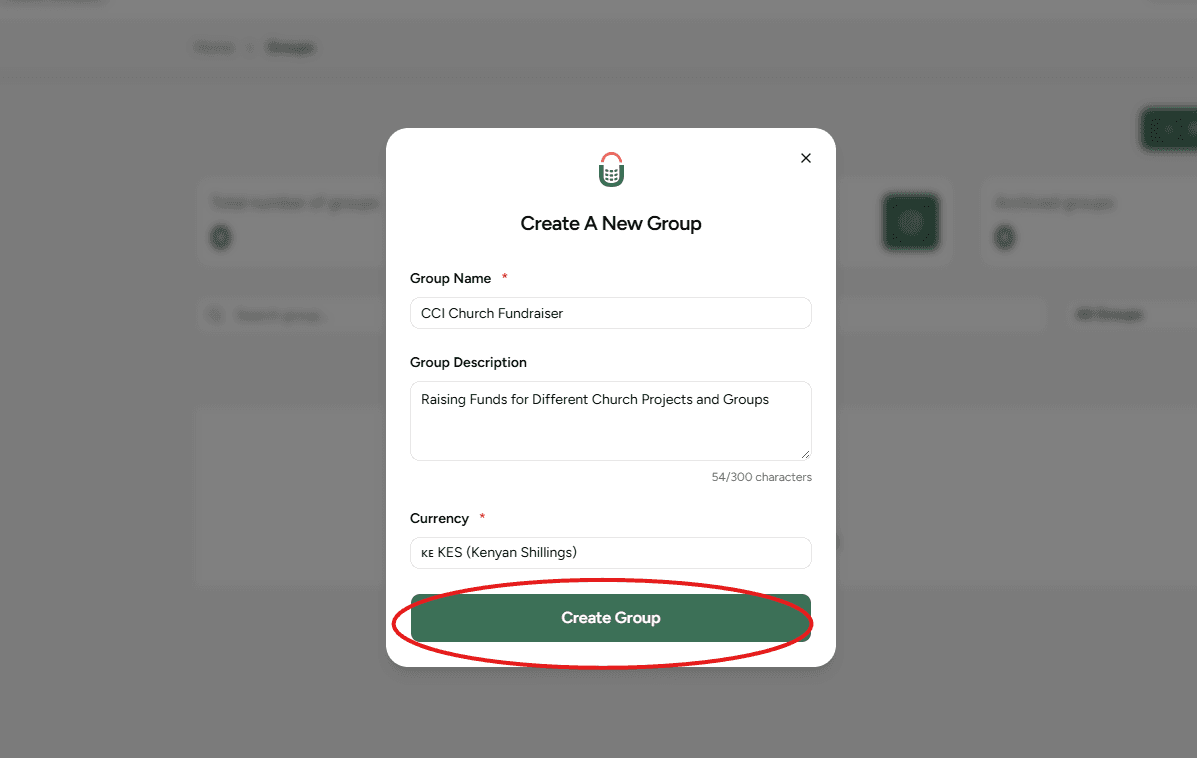
Enter Group Details
Fill in the basic information including the Group Name, Description, and Base Currency.
4
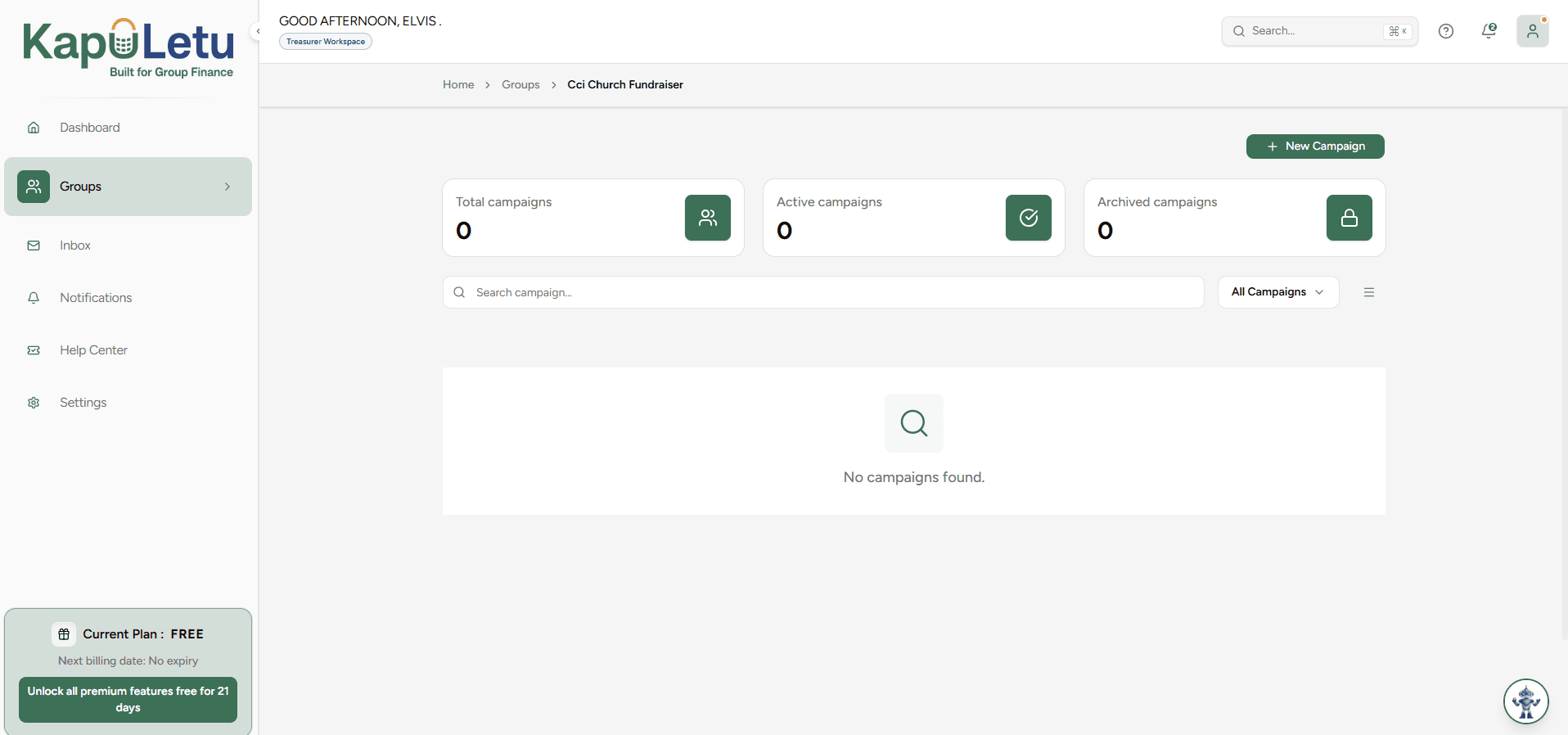
Save and Finalize
Click 'Save' to create the group. You will automatically be taken to the group's management window, where you will be managing your campaigns.
Pro Tip
If you manage multiple organizations, you can create multiple groups using the same KapuLetu account and easily switch between them using the Group Switcher.