Understanding the Workspace
A quick tour of the KapuLetu interface and where to find key treasury tools.
The KapuLetu workspace is designed around the natural workflow of a treasurer. Instead of hunting through menus, everything is organized into a logical flow from left to right, top to bottom.
The Interface Layout
Click through the steps below to explore the main areas of your dashboard:
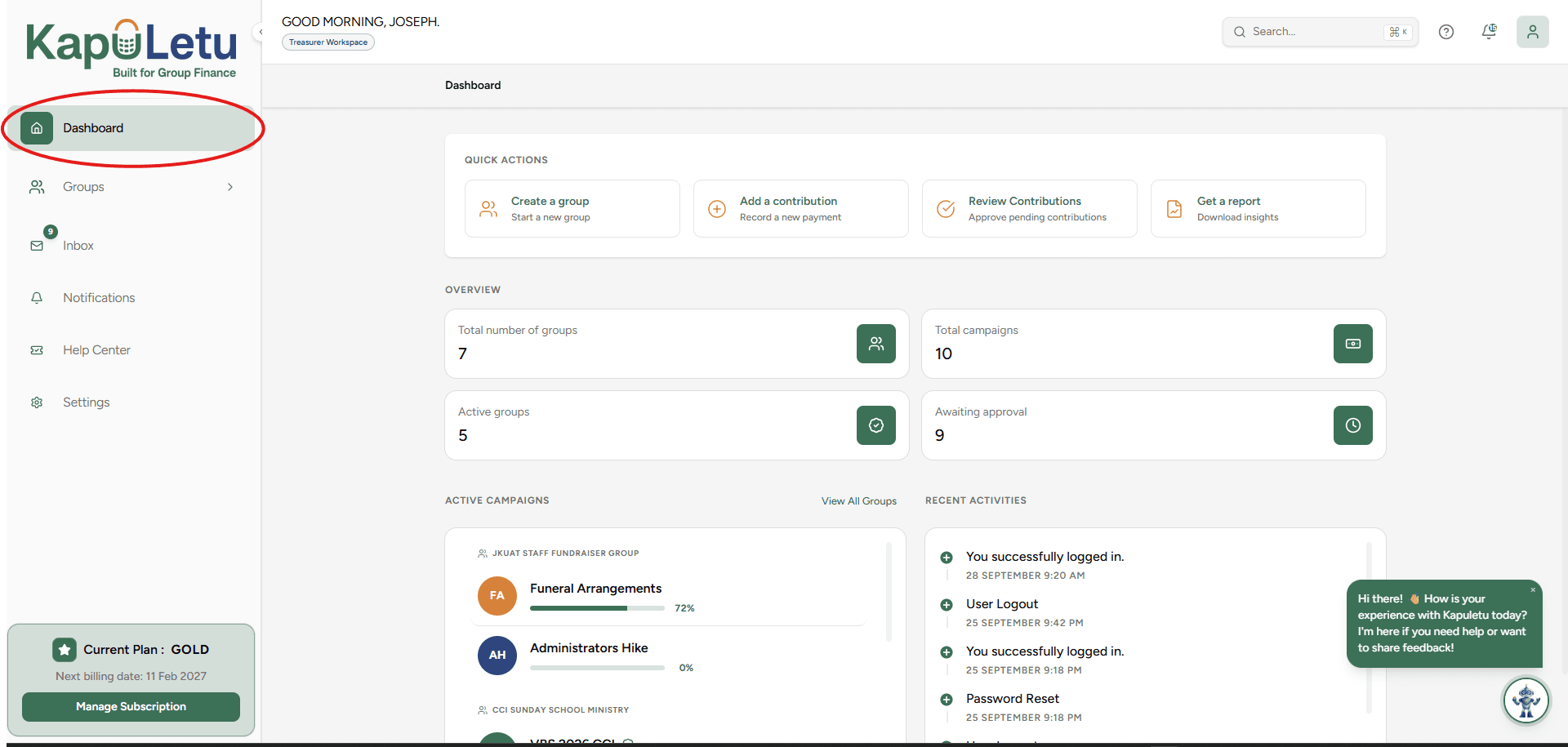
Dashboard
Your financial overview. See total collections, recent activity, and quick stats for your selected group.
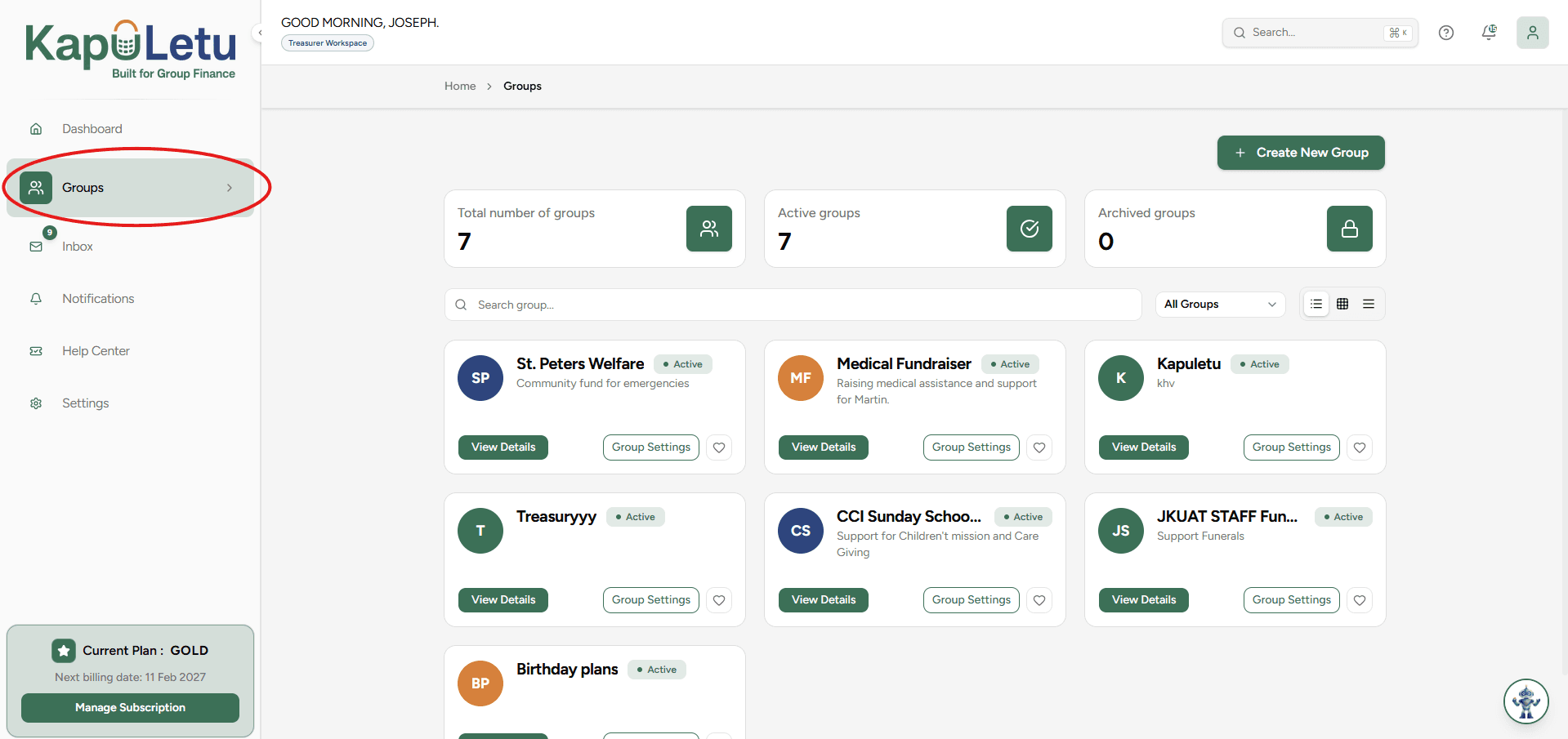
Groups Navigation
Switch between different communities or organizations you serve using the sidebar or header switcher.
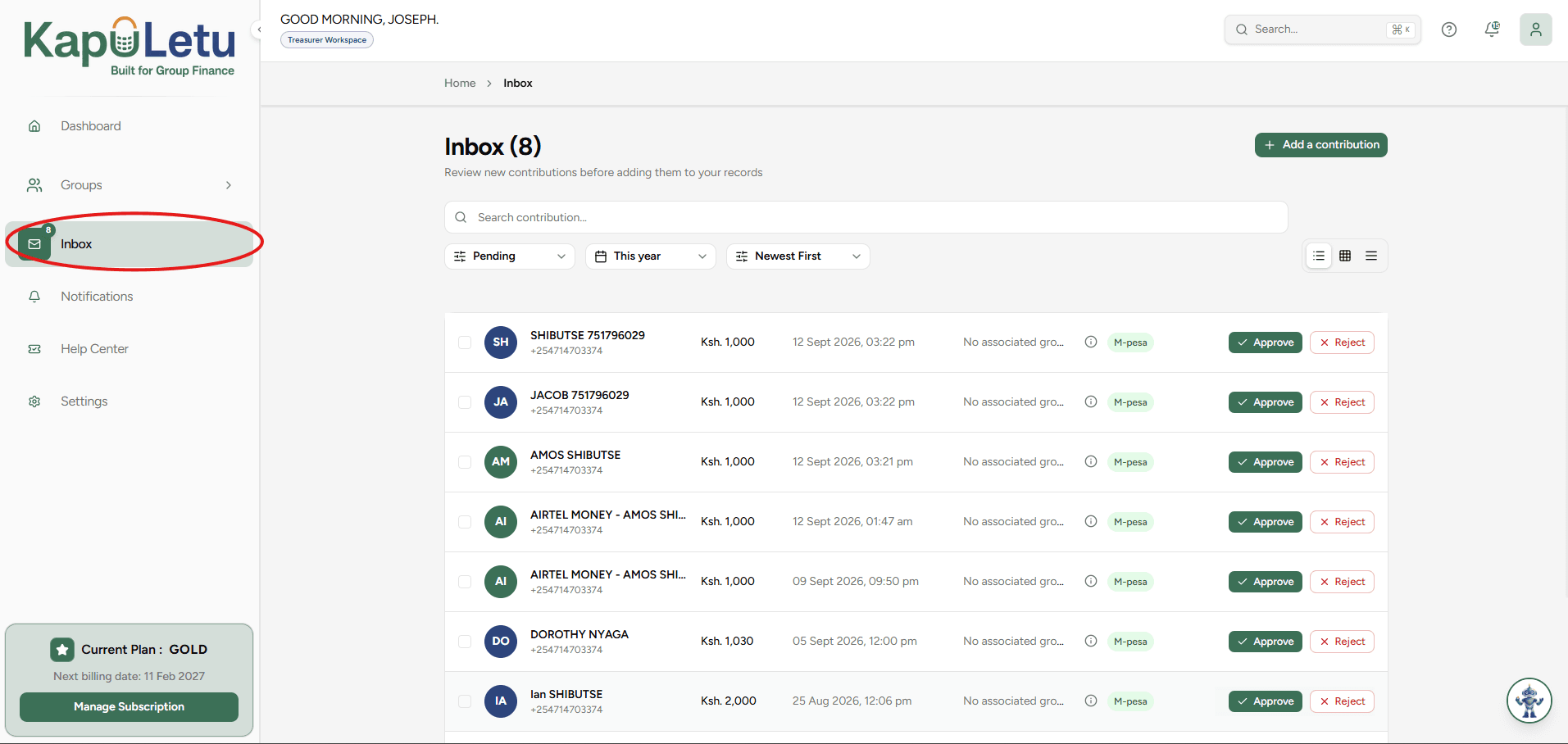
Contributions Inbox
Review, approve, and manage incoming contributions before they are added to the official ledger.
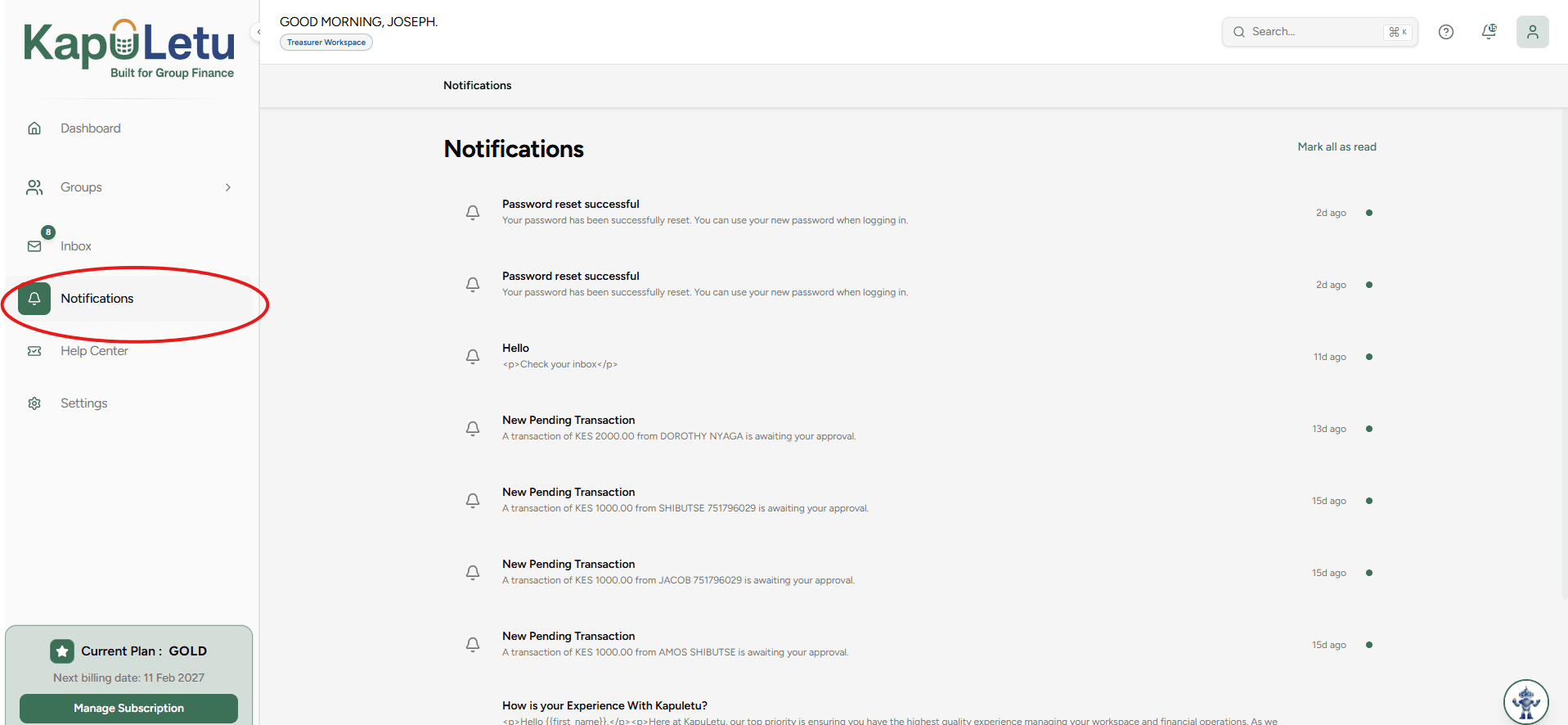
Notifications
Stay updated on recent approvals, system alerts, and group activities directly from the sidebar.
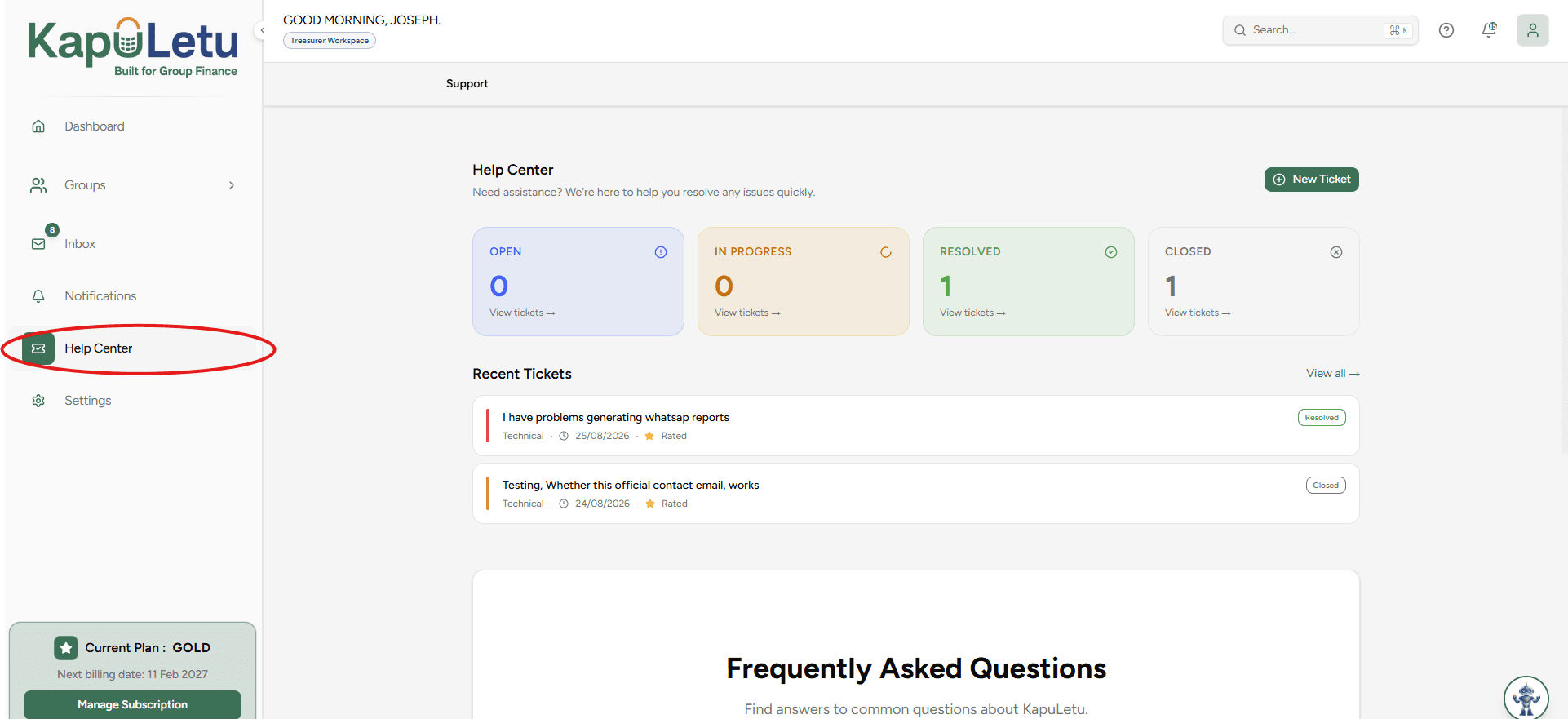
Help Center
Access support tickets, read knowledge base articles, and contact the KapuLetu support team.
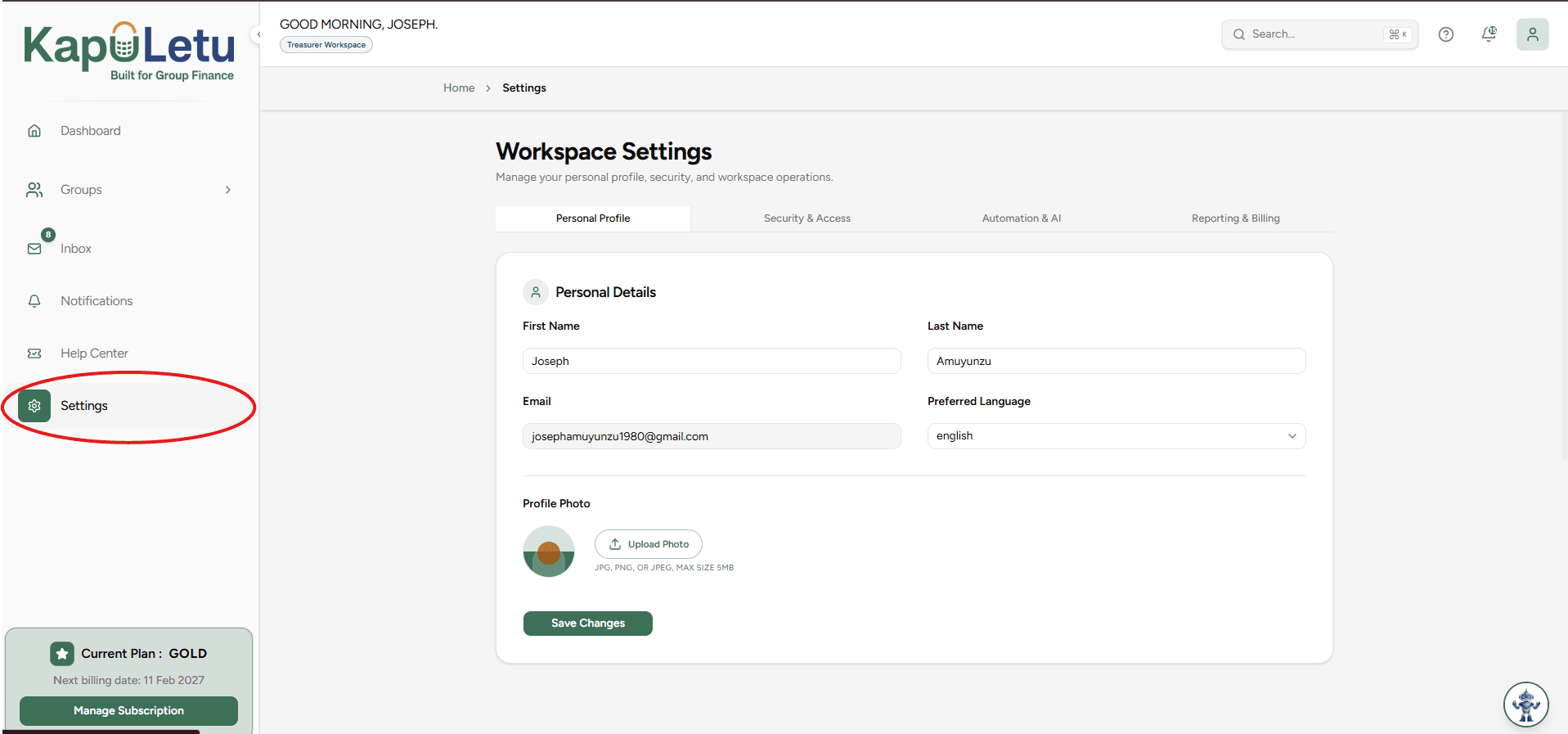
Settings
Configure your profile, update security preferences, and manage your account details.
Appearance (Dark / Light Mode)
Switch between Light and Dark mode to suit your preferences. You can toggle this effortlessly from your profile menu or at the bottom of the navigation sidebar.

Navigation Map
Here is how the core tools are organized in your workspace sidebar:
Core Treasury
Ready to set things up?
Now that you know your way around, let's complete your first treasury workflow.
Next: Your First 5 Minutes →