Creating a Campaign
Step-by-step guide to setting up a new fundraising activity.
BeginnerTreasurer
Starting a new fundraising activity is simple. Follow these steps to set up your campaign and start tracking contributions.
1
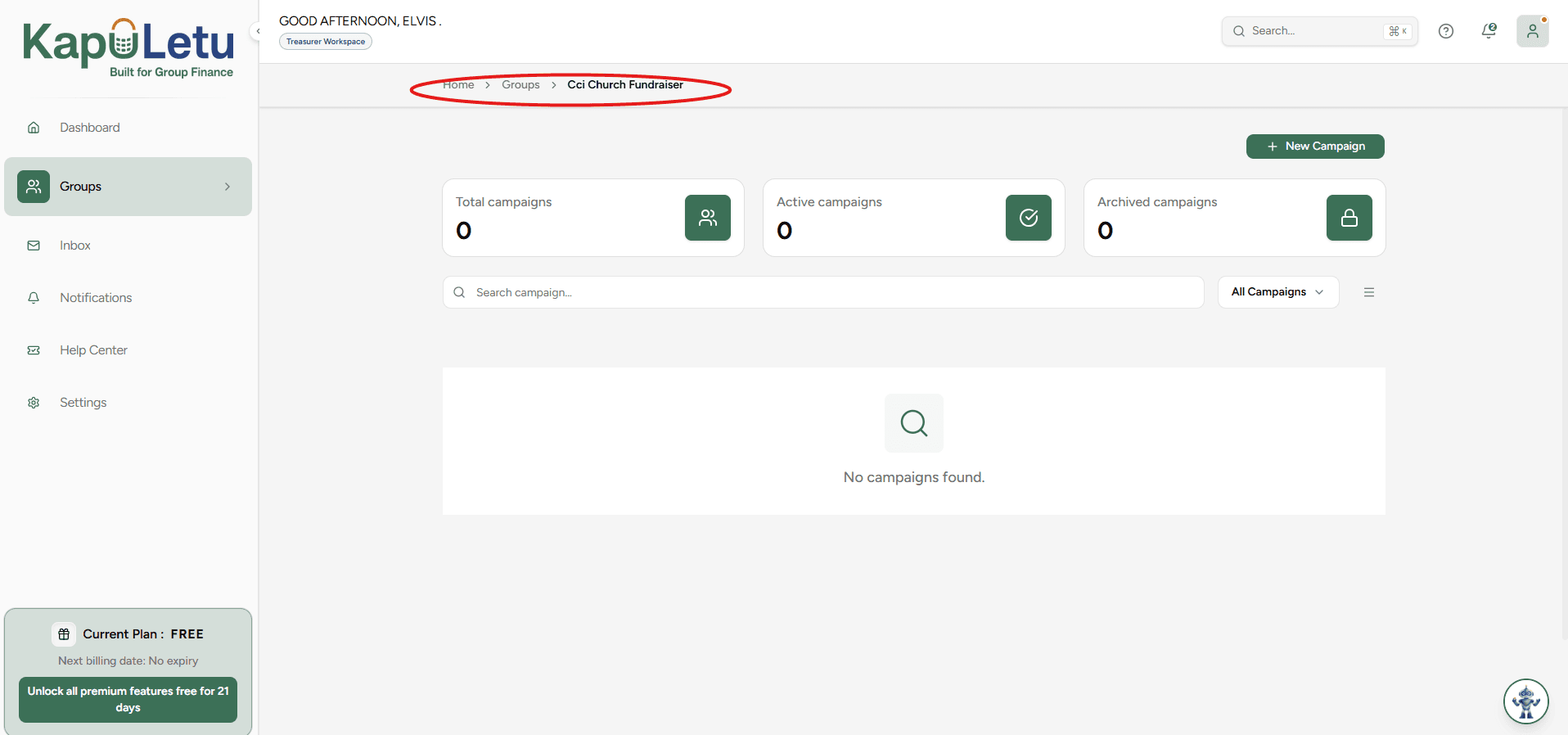
Prerequisite: Create a Group
In order to create a campaign, you must first have created a group to host it.
2
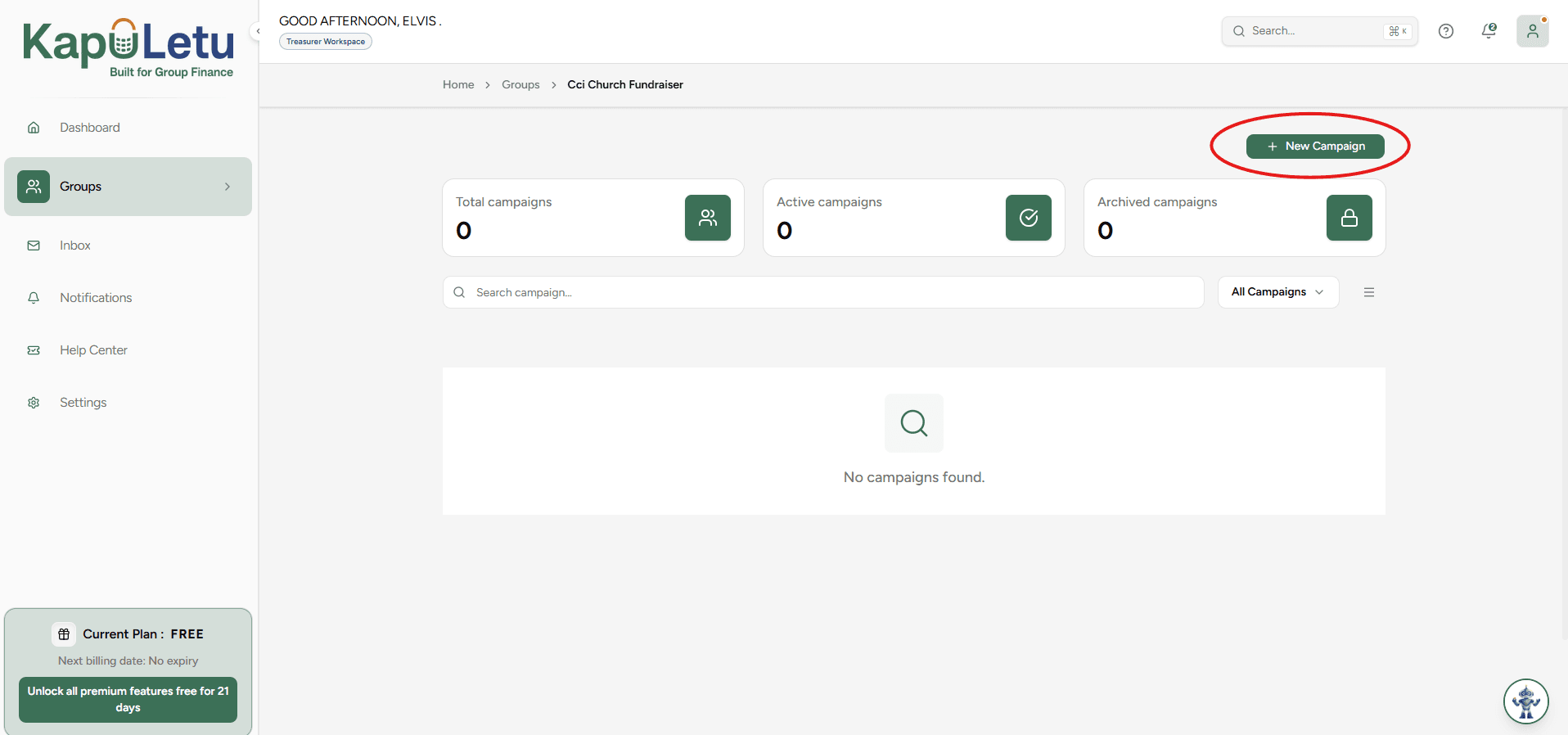
Start a New Campaign
Inside your group dashboard, click on the 'New Campaign' button.
3
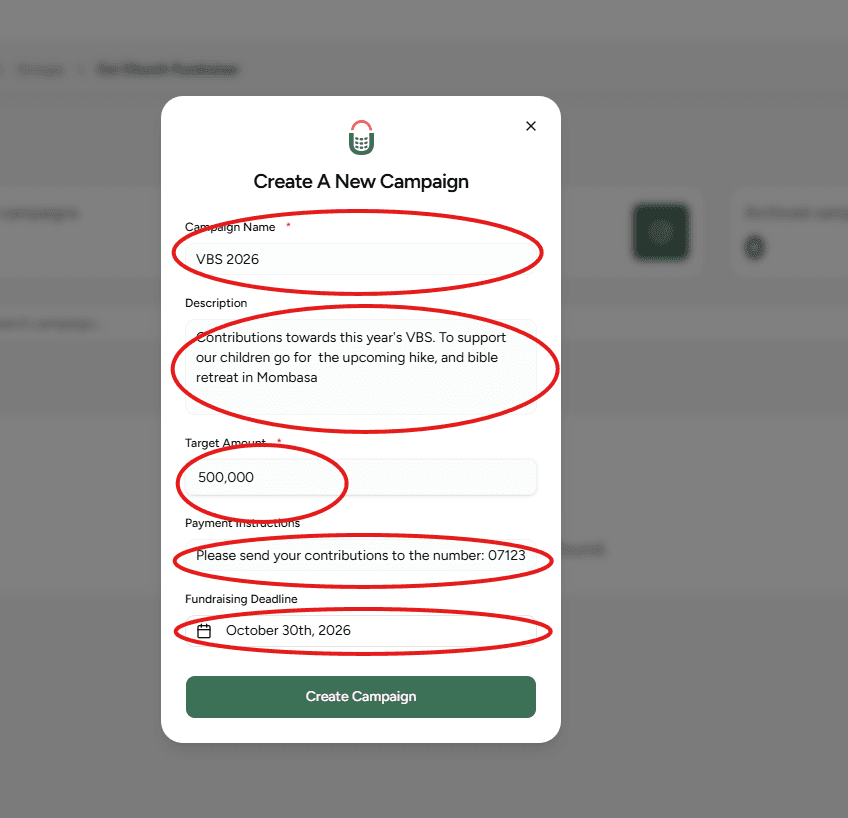
Fill Campaign Details
You will be required to fill in the campaign name, description, target amount, payment instructions (where people will be sending money), and the deadline.
4
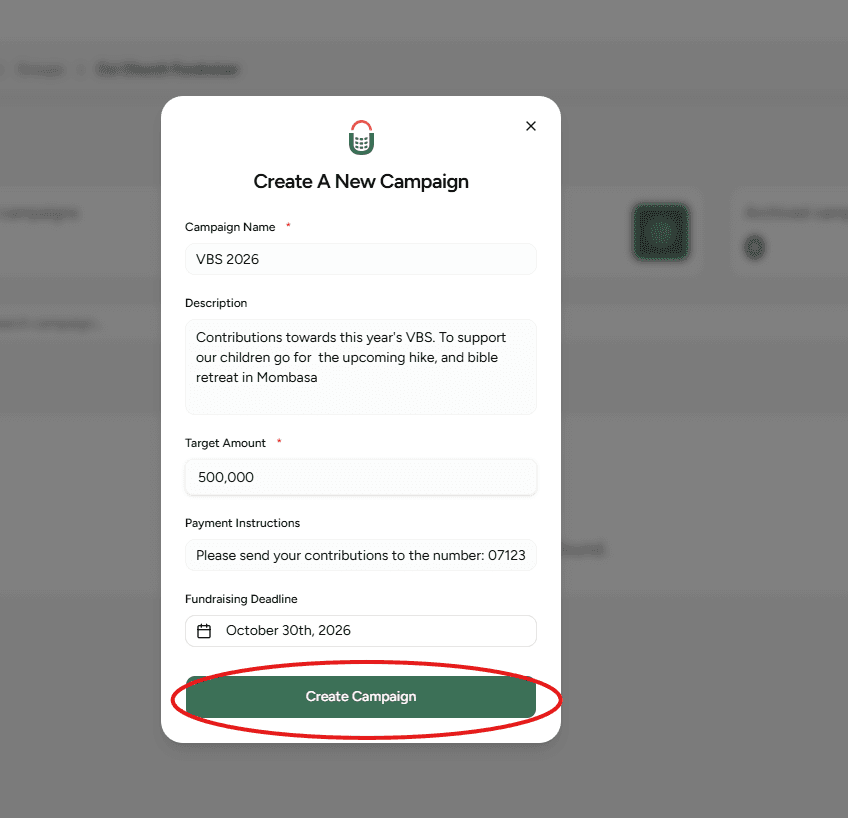
Create Campaign
After filling this information, click 'Create Campaign'.
5
Ready to Track
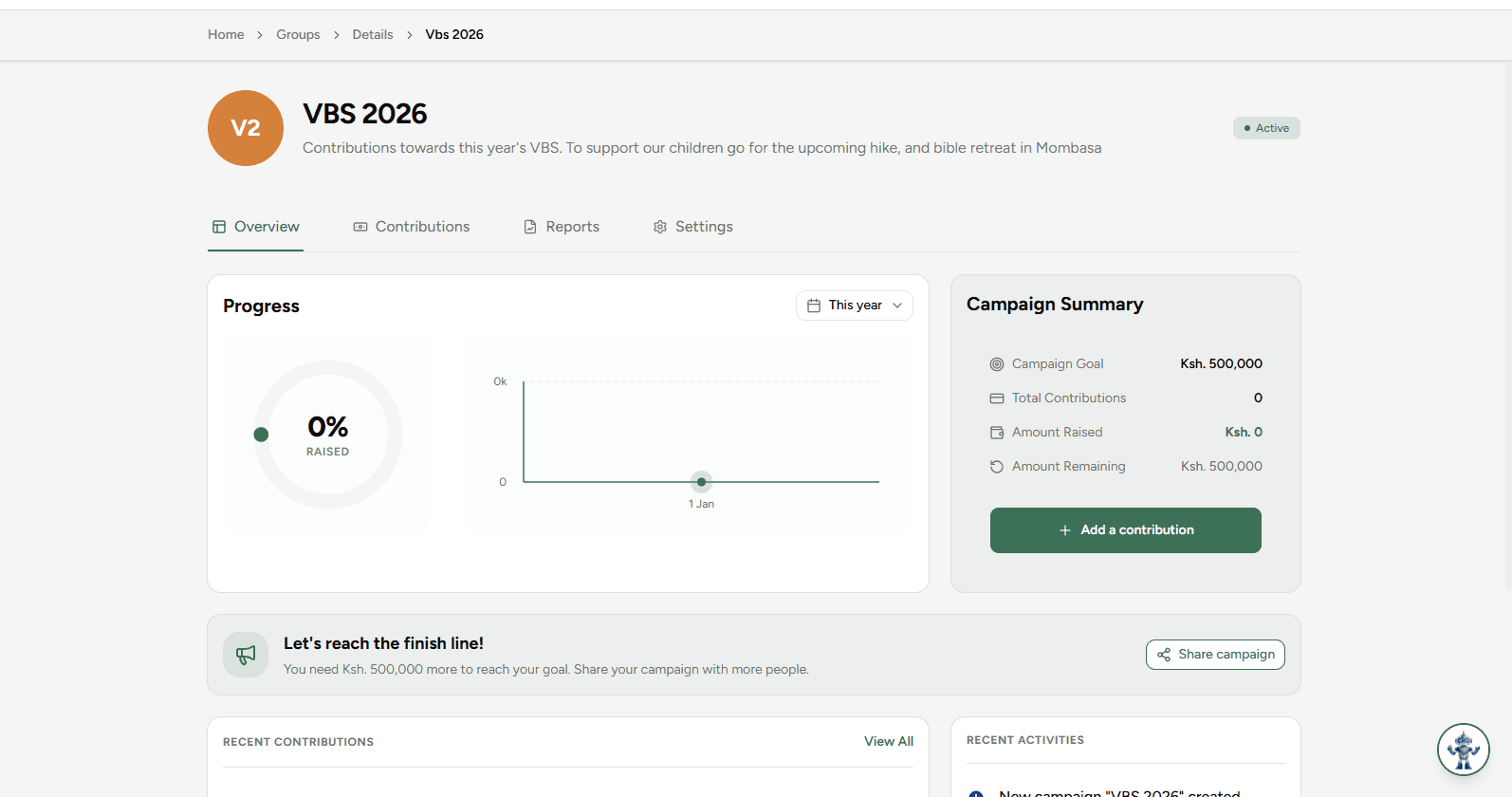
This will take you to the created campaign, which is now ready to start tracking the contributions of that fundraising activity.
Payment Instructions
Be clear with your payment instructions (e.g., M-Pesa Paybill, Till Number, or Bank Account). Members will see this when they want to contribute.