Campaign Settings & Editing
Learn how to update and manage your campaign's configurations.
BeginnerTreasurer
As your fundraising progresses, you might need to adjust your goals, extend a deadline, or clarify the payment instructions. Here is how you can edit your campaign details.
1
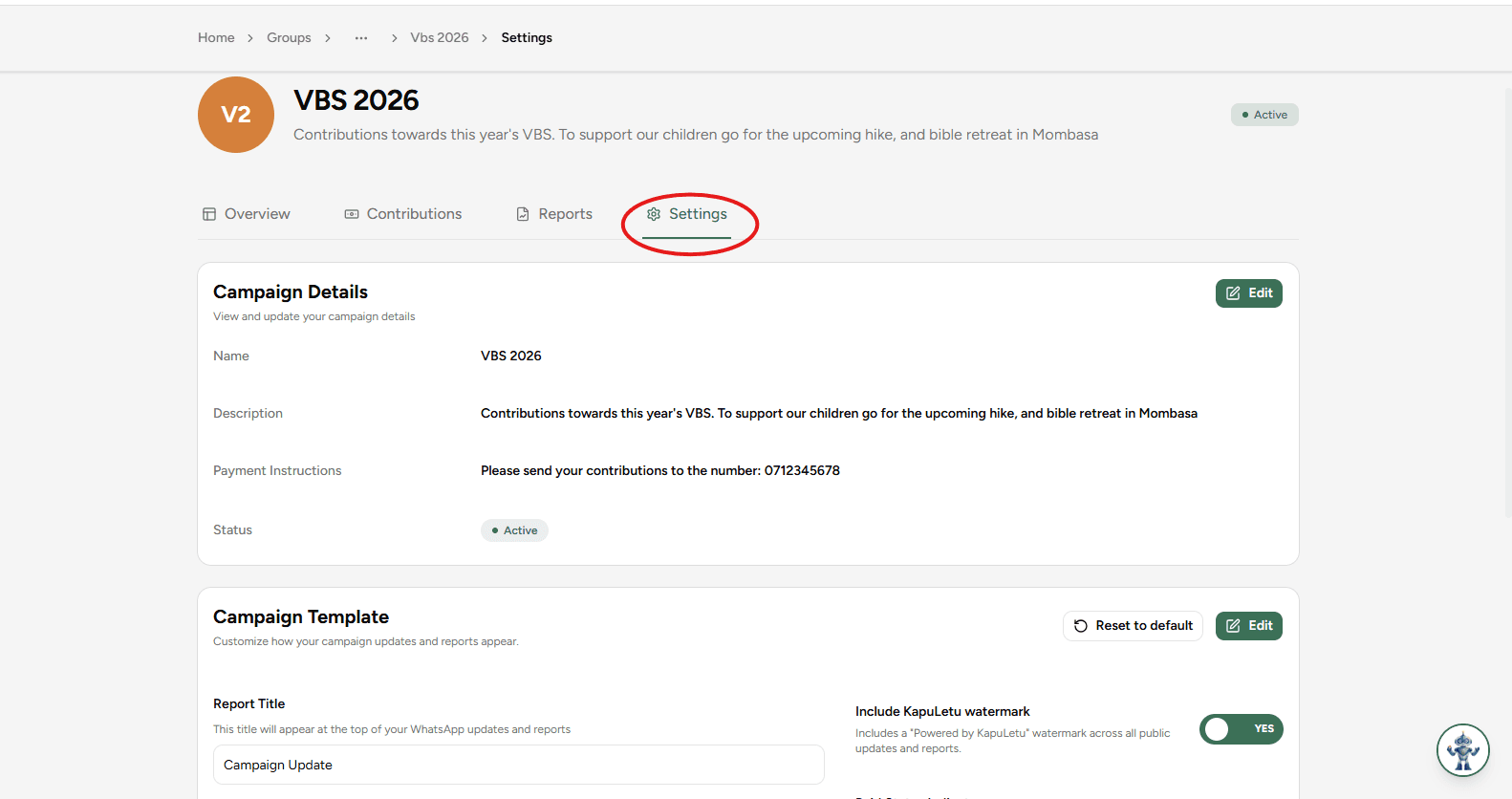
Locate the Settings Tab
Inside your chosen campaign, click on the 'Settings' tab located in the campaign navigation menu.
2
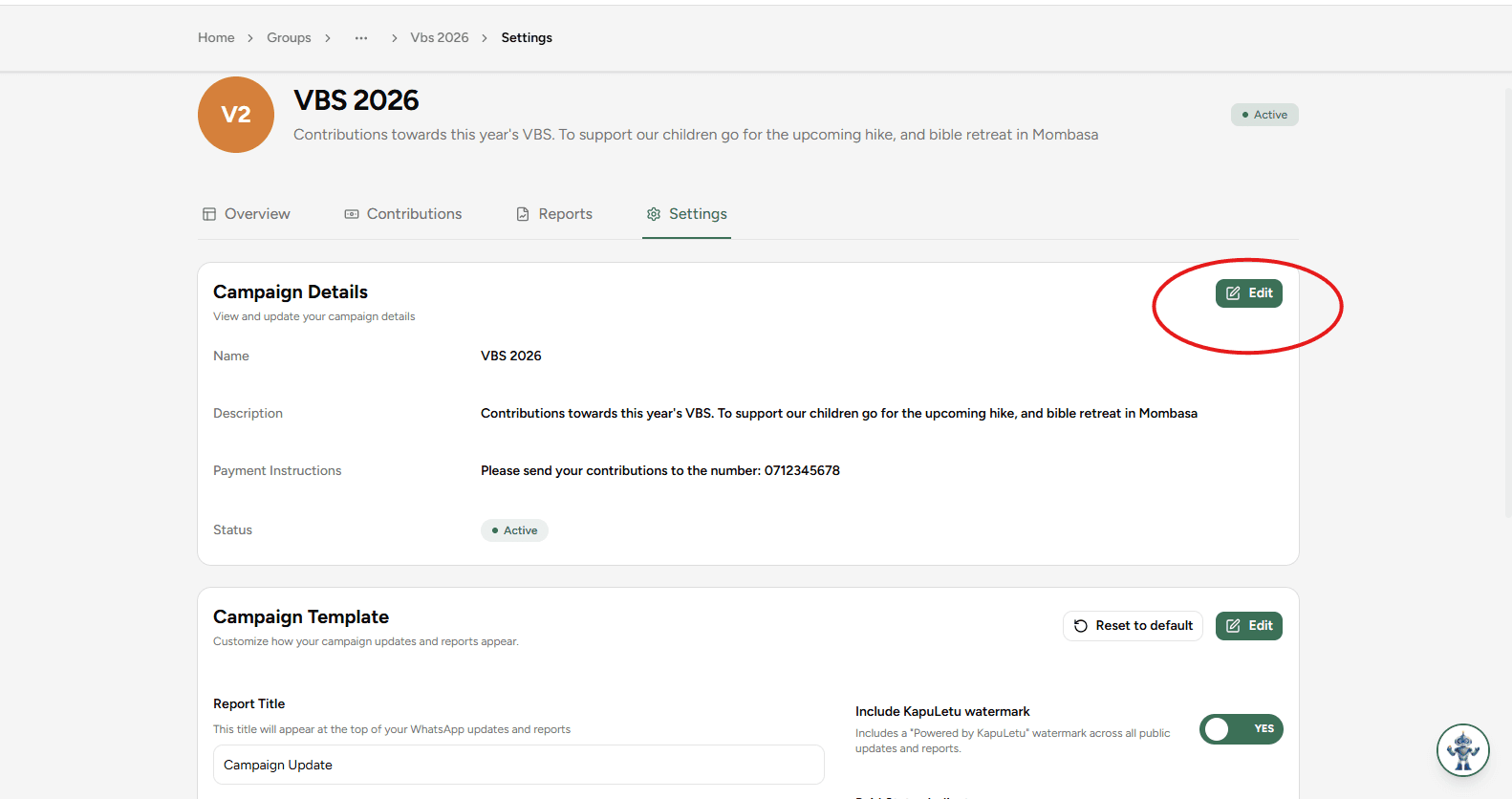
Edit Campaign Details
Find the 'Campaign Details' section and click on the 'Edit' button.
3
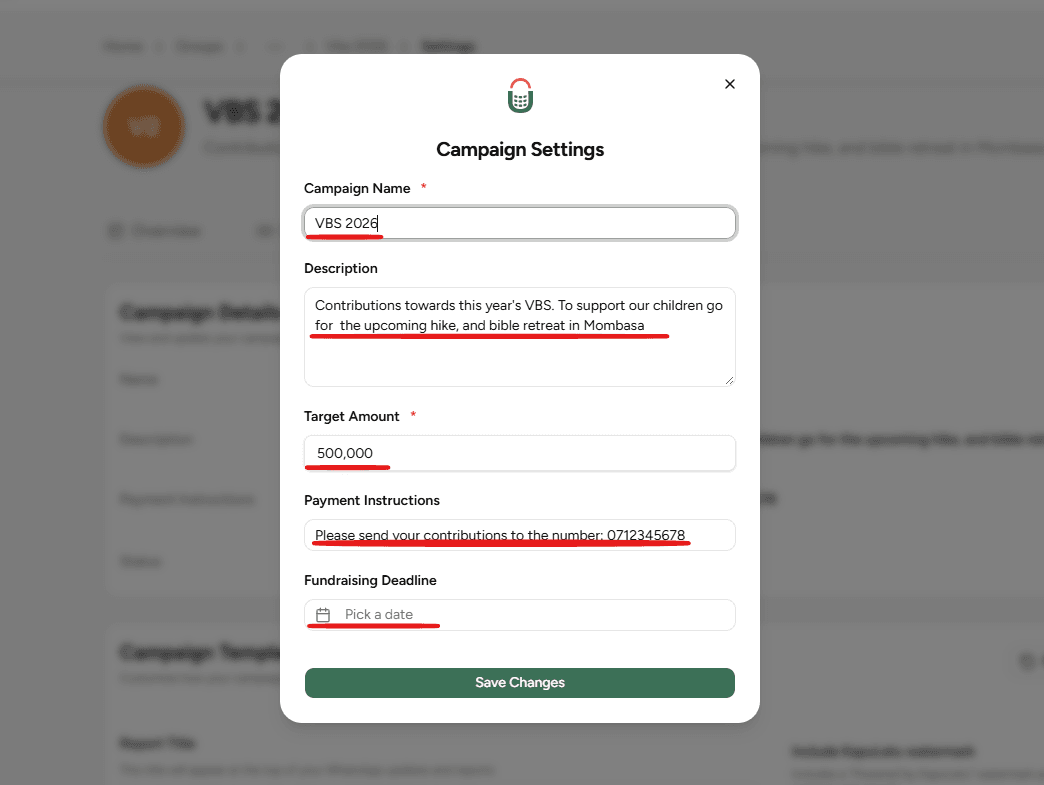
Adjust Information
Make the necessary changes to your campaign. You can update the name, description, target amount, or extend the deadline.
4
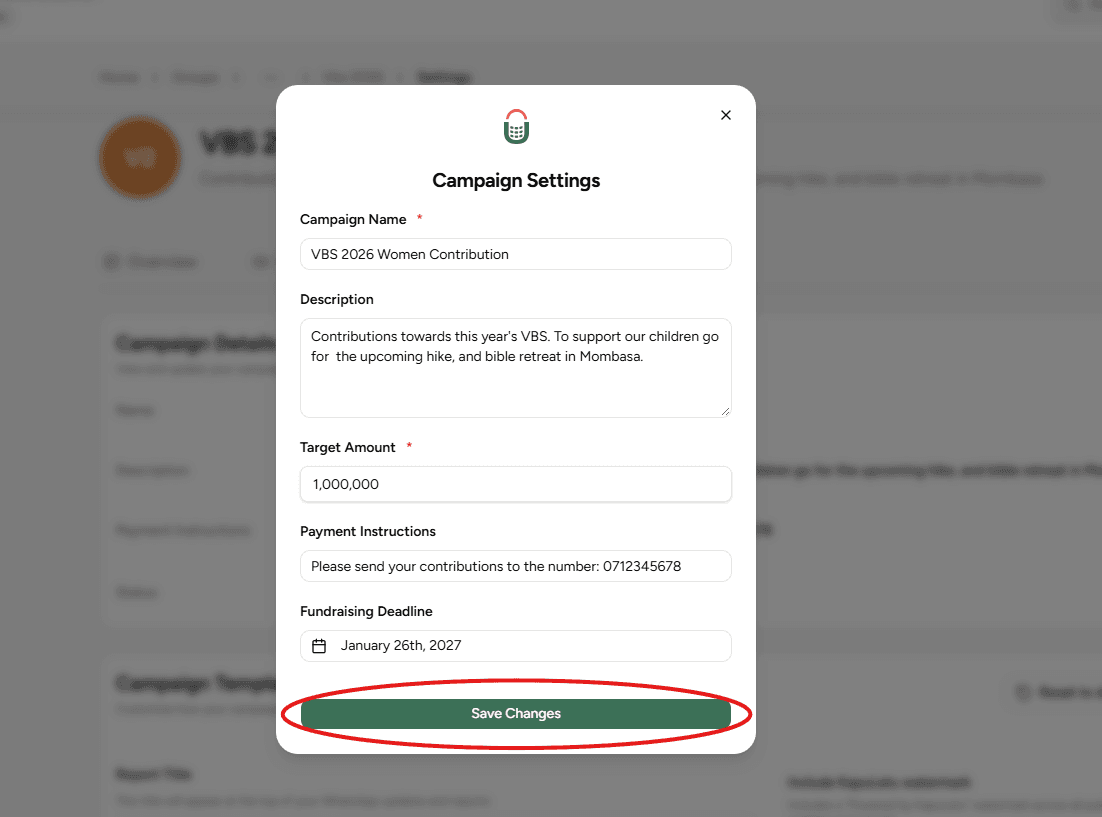
Save Changes
Once you have adjusted the details, click the 'Save Changes' button to apply the updates immediately.
Note on Targets
While you can lower your target amount, doing so below the currently raised amount may cause discrepancies in your reports. Always communicate major changes to your members.